Tracking API
Register a tracking number after each purchase and get back a branded tracking-page URL to share with your customer.
/v1/tracking/createAttaches a tracking number to your active tracking page and returns the customer-facing tracking URL. Call it server-to-server once you have a carrier tracking number for an order.
429. Rate-limit headers follow the IETF draft-7 standard, so you can read RateLimit-Remaining / RateLimit-Reset to pace your calls.Prerequisites
A ShipSlip account
You need an active ShipSlip account to generate an API key and host tracking pages.
- Create one at shipslip.com/create-account — no credit card required to generate a key.
- Billing applies to published tracking pages per your plan; see Pricing.
A published tracking page
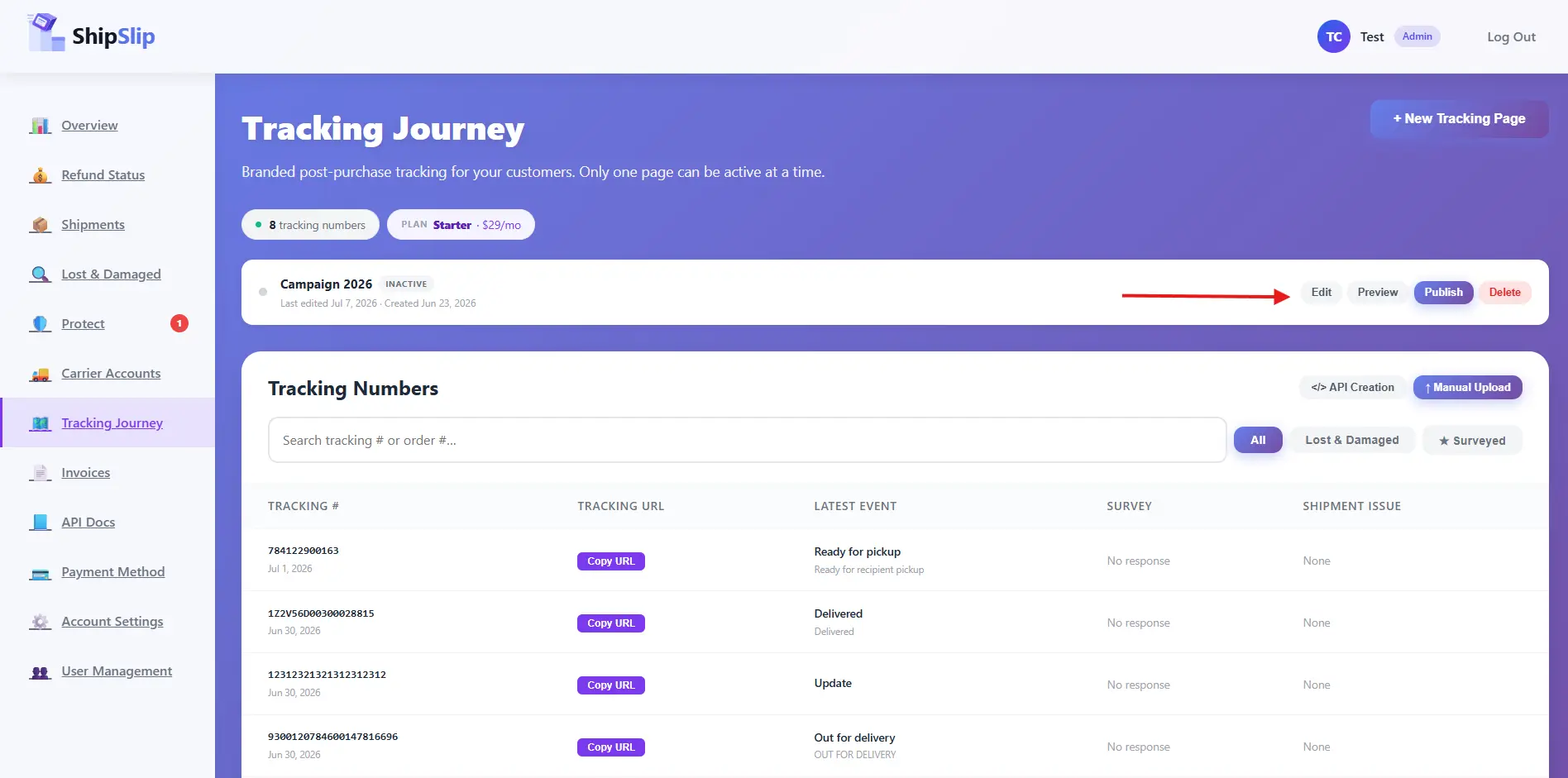
Tracking numbers attach to your company’s single active (published) tracking page. Without one, calls return 409.
- Create and publish one in Dashboard → Journey → Branded Pages.
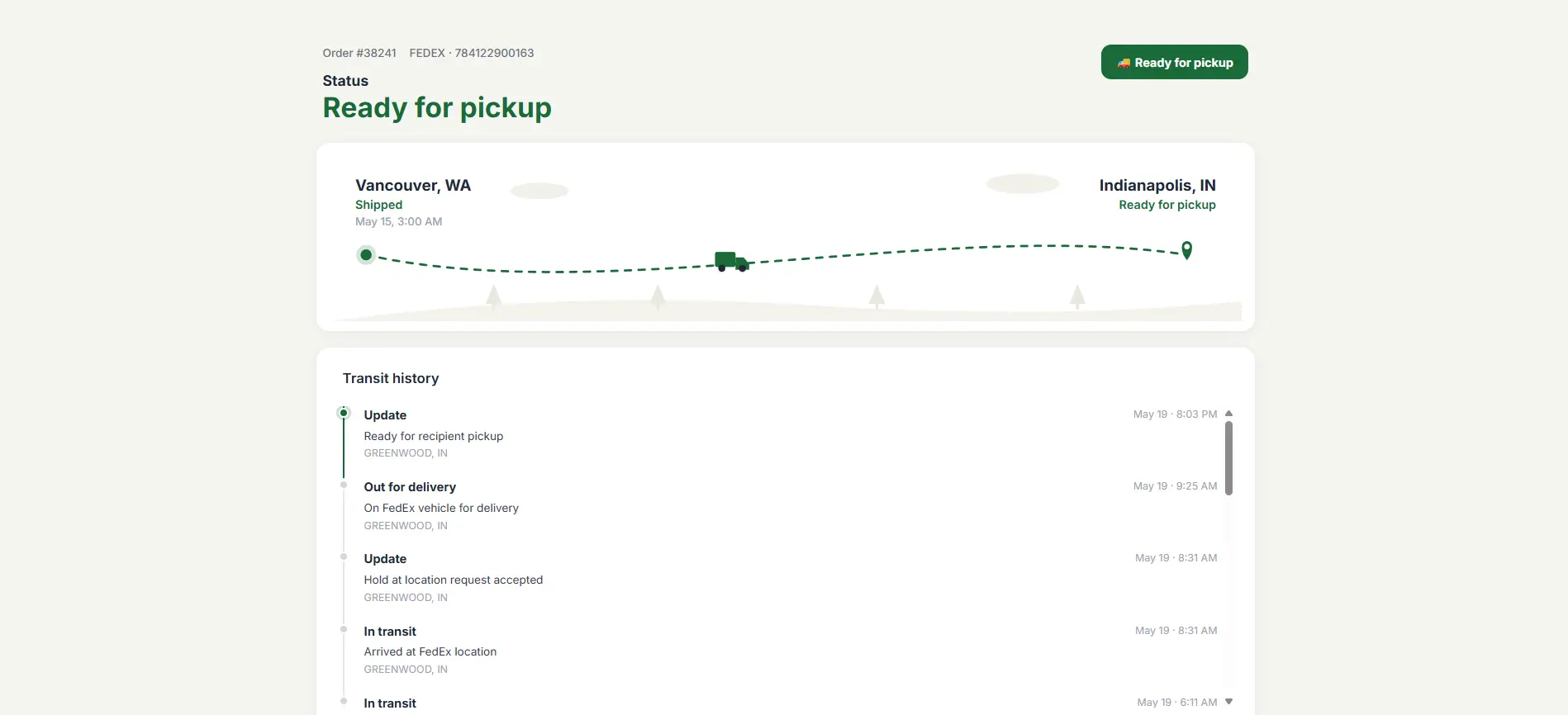
- This is the branded page your customers land on; the API returns a per-shipment URL under it.
An API key
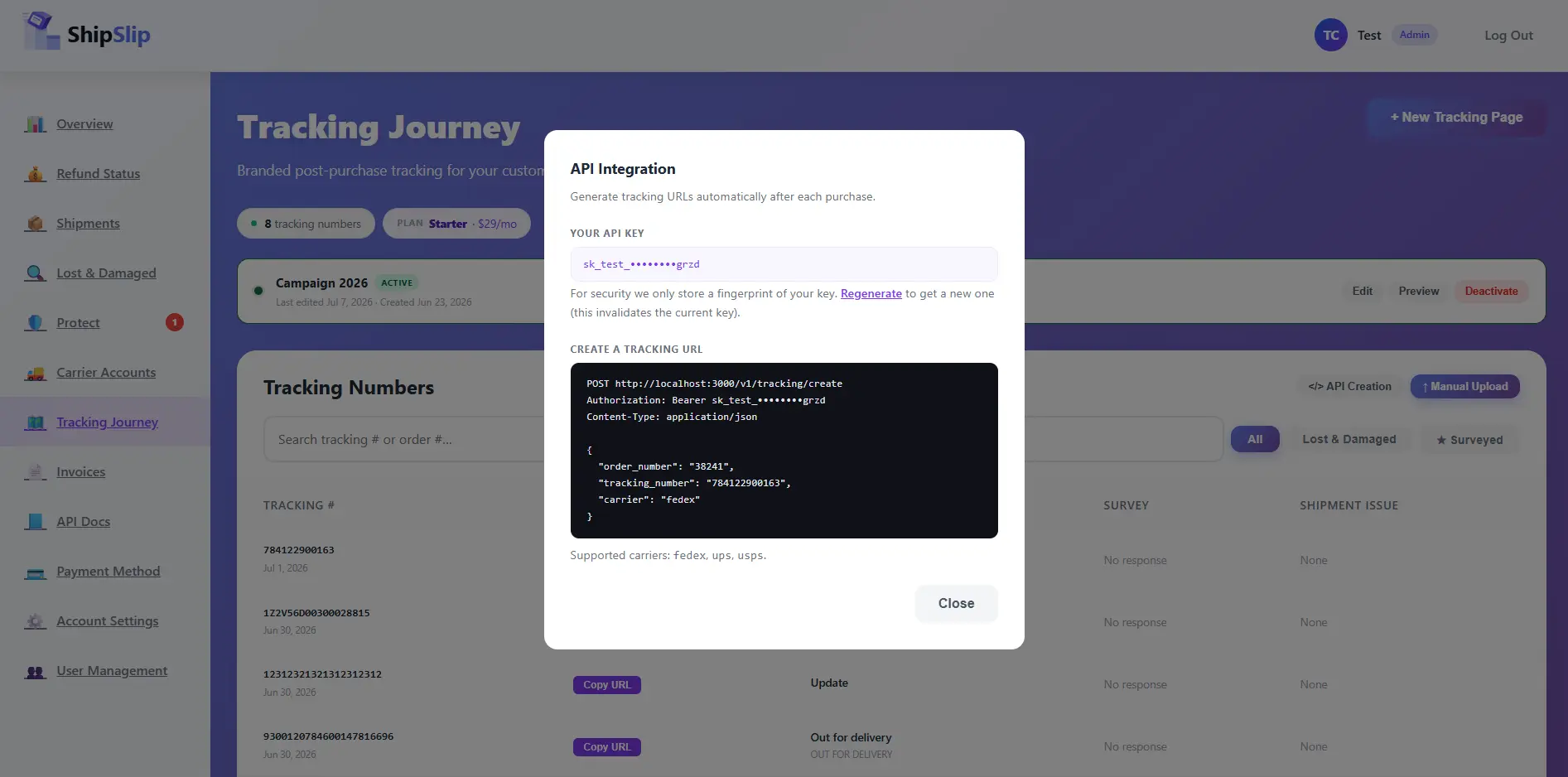
- Generated in Dashboard → Journey → Tracking Links → API Creation (admin only).
- Format:
sk_live_….
Environment
Base URLs. All endpoints are relative to these.
| Environment | Base URL | Notes |
|---|---|---|
| Production | https://shipslip.com/api | Use your sk_live_… key. |
Authentication
Every request must send your API key as a Bearer token:
Authorization: Bearer sk_live_xxxxxxxxxxxxxxxxxxxxxxxxxxxxxxxx
Content-Type: application/json
Quickstart
Create a tracking URL
Send the carrier and tracking number. The response includes the branded tracking_url you can email to your customer or store against the order.
Request
curl -X POST https://shipslip.com/api/v1/tracking/create \
  -H "Authorization: Bearer sk_live_xxxxxxxxxxxxxxxxxxxxxxxxxxxxxxxx" \
  -H "Content-Type: application/json" \
  -d '{
    "order_number": "38241",
    "tracking_number": "784122900163",
    "carrier": "fedex"
  }'
Response 201
{
  "created": true,
  "order_number": "38241",
  "tracking_number": "784122900163",
  "carrier": "fedex",
  "tracking_url": "https://acme.shipslip.com/t/784122900163"
}200 with "created": false and the same URL, so retries are safe. A brand-new number returns 201 with "created": true. Treat tracking_url as opaque and use it as returned — pages with a branded subdomain are served from their own host (https://acme.shipslip.com/t/784122900163), and the rest keep the https://shipslip.com/t/<page-id>/784122900163 form. Both stay valid, so links you have already sent keep working.Endpoint reference
Request body
| Field | Type | Required | Description |
|---|---|---|---|
carriere.g. "fedex" | string (enum) | Required | The shipping carrier. One of: fedex, ups, usps, dhl, canada_post, lso, chronopost, correos, colissimo, dpd_de, dpd_uk. |
tracking_numbere.g. "784122900163" | string | Required | The carrier tracking number for the shipment. Leading/trailing whitespace is trimmed. |
order_numbere.g. "38241" | string | Optional | Your internal order/reference number. Shown to help you and your customer reconcile the shipment. |
Where to find things in the portal
Screens you'll use to get set up and see the results of your calls.
Errors
Errors return the appropriate HTTP status with a JSON body of the shape { "error": "…" }.
| Status | Reason | What it means / how to fix |
|---|---|---|
| 400 | Request body must be a JSON object | The body was missing or not valid JSON. Send Content-Type: application/json with a JSON object. |
| 400 | carrier must be one of: fedex, ups, usps, dhl, canada_post, lso, chronopost, correos, colissimo, dpd_de, dpd_uk | The carrier field was missing or not a supported value. Use one of the supported carriers listed above (case-insensitive). |
| 400 | tracking_number is required | The tracking_number field was empty or missing. Provide a non-empty string. |
| 401 | Missing or invalid Authorization header | No Bearer token was sent. Add the header: Authorization: Bearer <your key>. |
| 401 | Invalid API key | The key is wrong, revoked, or from the other environment (test key on production, or vice versa). Regenerate it in the portal if unsure. |
| 409 | No active tracking page. Publish one before creating tracking URLs. | Your company has no published tracking page to attach numbers to. Publish one under Dashboard → Journey → Branded Pages. |
| 429 | Too many requests. Please slow down and try again shortly. | You exceeded the rate limit. Back off and retry; batch or throttle your calls. |
Common issues
401 Unauthorized on the first call
- The most common cause is a missing or malformed header — it must be exactly
Authorization: Bearer sk_live_…(note the space afterBearer). - If you recently clicked Regenerate, the old key is invalid — update your secret with the new one.
409 No active tracking page
The endpoint attaches numbers to your one active, published tracking page. If you have none (or only drafts), it returns 409.
- Go to Dashboard → Journey → Branded Pages and publish a page, then retry.
The tracking page shows no carrier events yet
ShipSlip fetches live carrier tracking in the background and caches it briefly, so a just-created page can be sparse for a few minutes.
- Give the carrier a little time to register the label, then refresh the tracking URL.
- Double-check the
carriermatches the actual carrier for thattracking_number.
Duplicate calls
Re-sending the same carrier + tracking number is safe — it returns 200 with the existing URL rather than creating a duplicate. You can call the endpoint idempotently from an order webhook without guarding against retries.